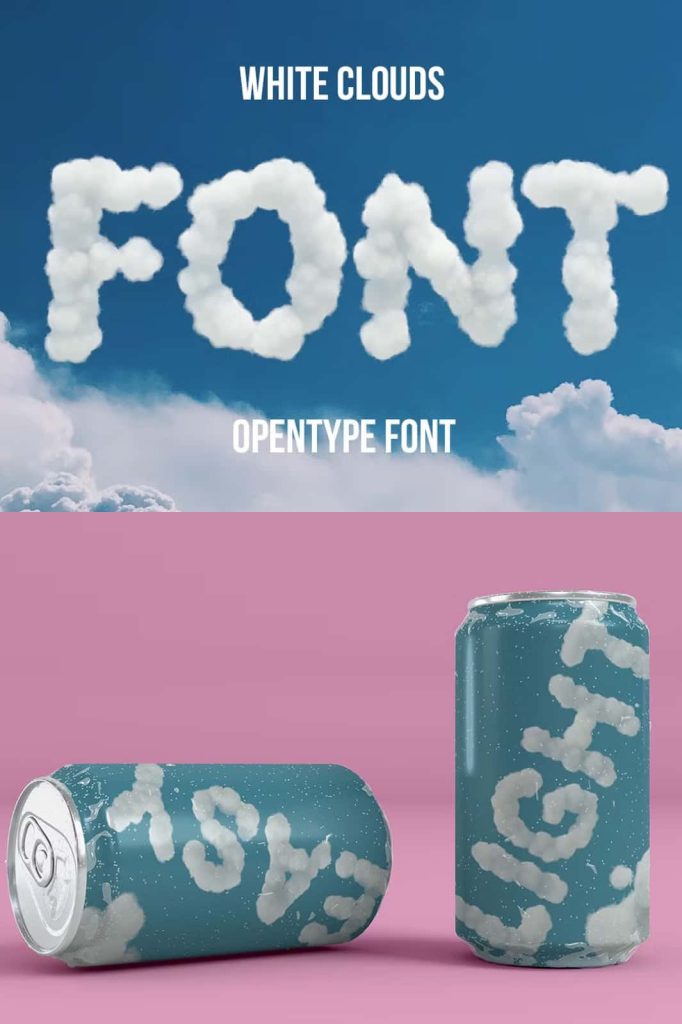
White Clouds Font – A Color OpenType Font for Creative Digital Designs
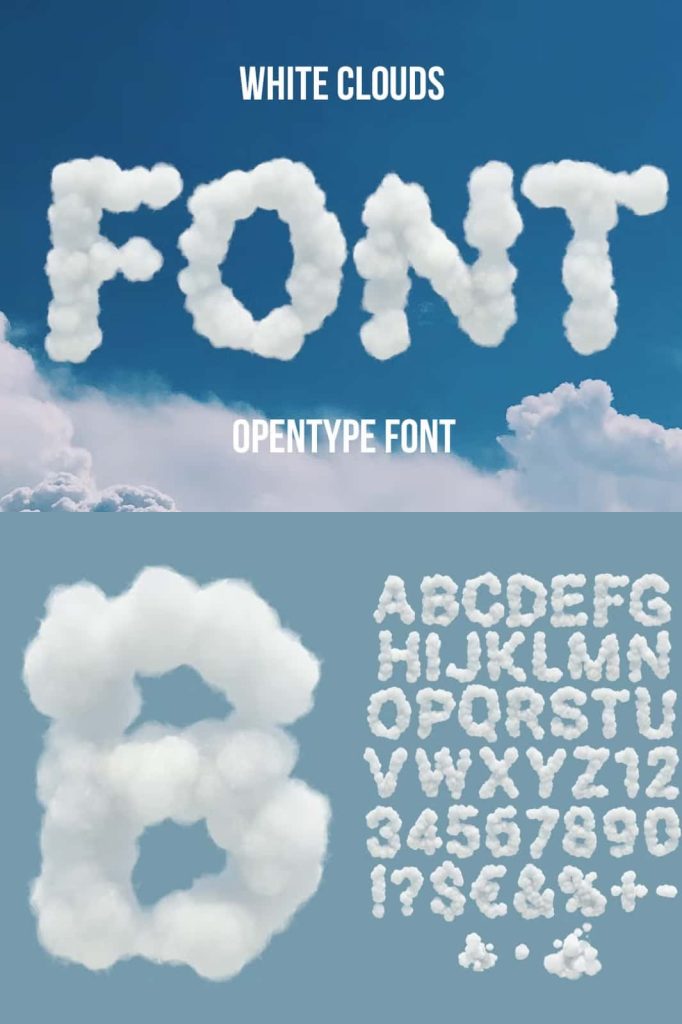
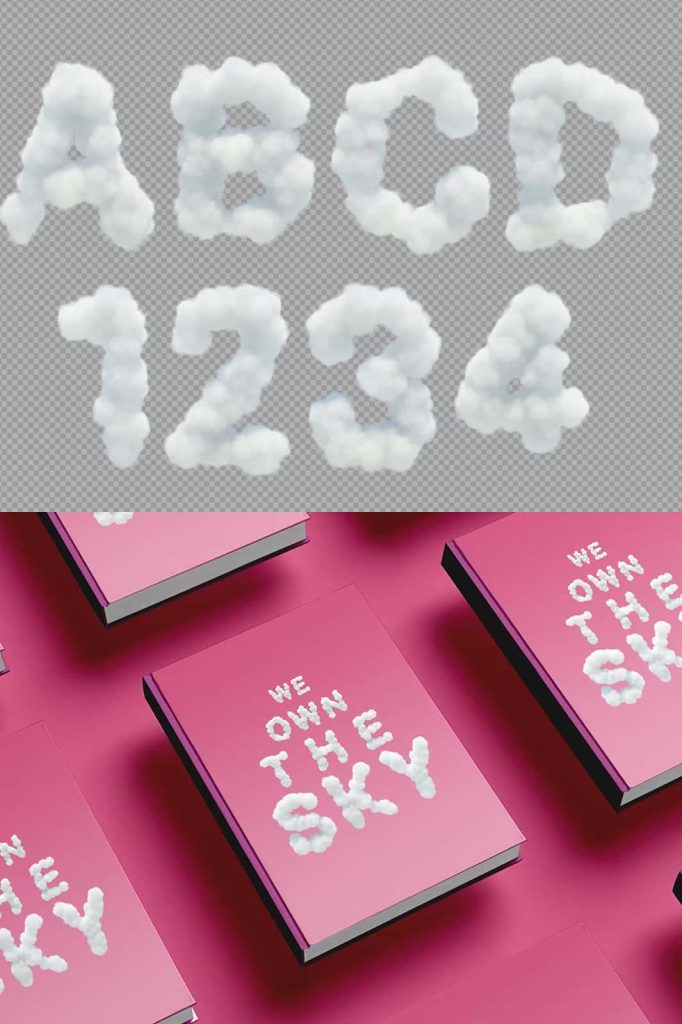
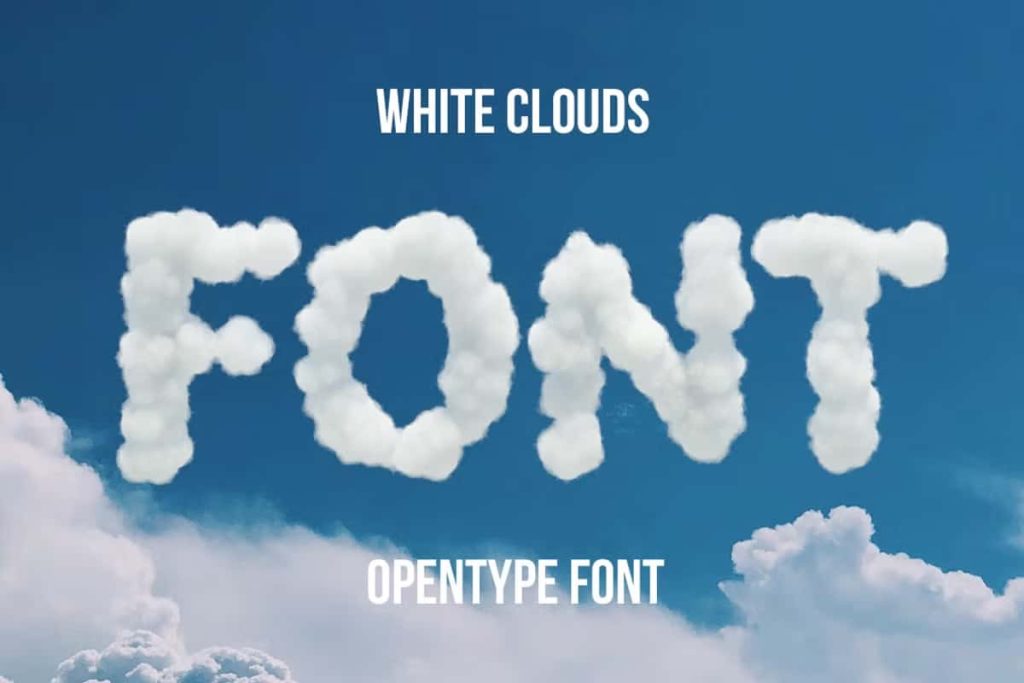
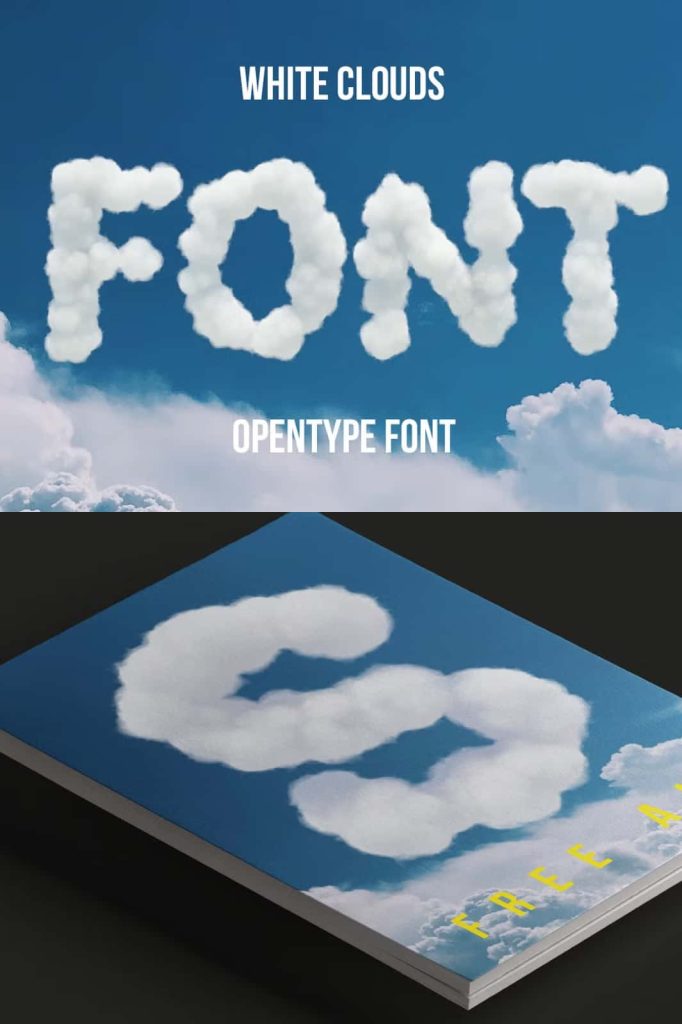
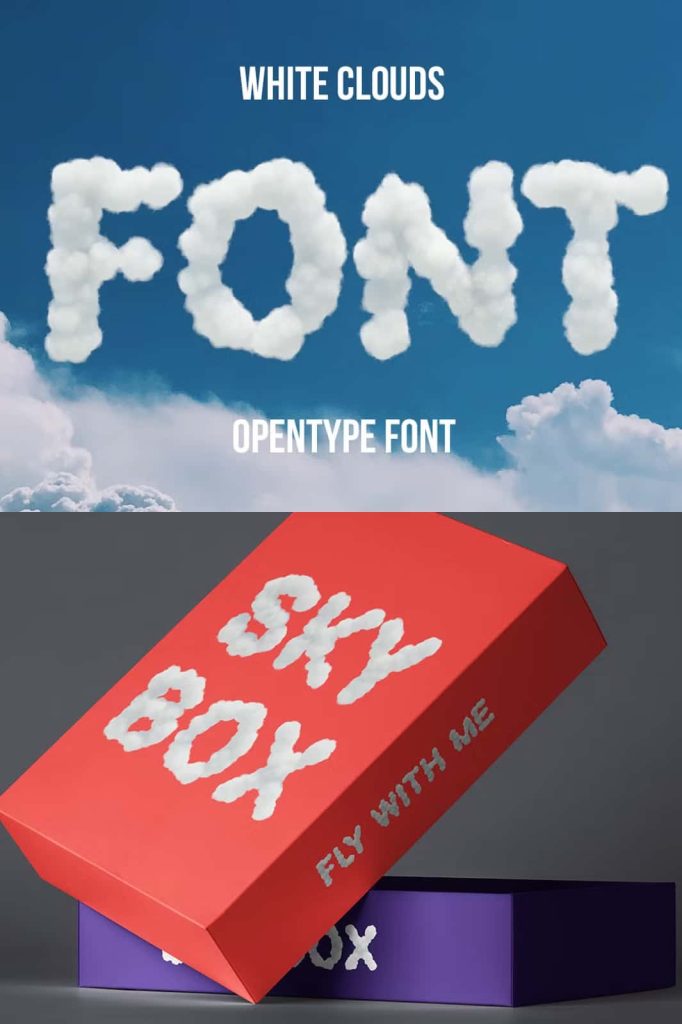
White Clouds is a distinctive color OpenType font that brings a playful and atmospheric visual style to modern digital design. Unlike traditional monochrome fonts, White Clouds uses color bitmap technology to display its artwork directly inside the letterforms. This unique approach allows designers to create colorful typography without relying entirely on separate graphic elements or manual coloring.
Built as a color OpenType-SVG font, White Clouds takes advantage of modern font technology to deliver a more expressive typographic experience. The format combines the flexibility of a font with the visual richness of color artwork, making it an interesting choice for designers who want to experiment with decorative typography, creative headlines, digital illustrations, and eye-catching compositions.
Because White Clouds relies on color font technology, designers should use compatible applications to experience the font as intended. Its special OpenType-SVG construction makes software compatibility an important consideration before beginning a project.
What Makes White Clouds Different?
Traditional fonts usually rely on a single color selected by the designer inside the application. White Clouds takes a different approach by incorporating color information directly into the font file. This allows its distinctive artwork to appear as part of the characters rather than as a simple monochrome outline.
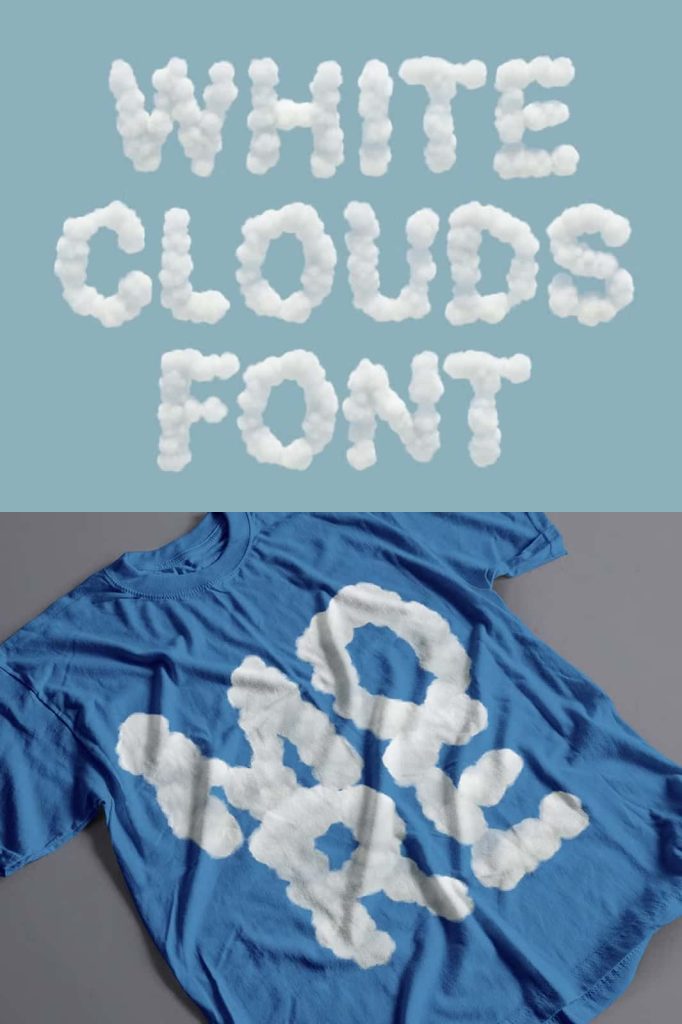
The result creates a more visual and decorative typographic experience. Instead of treating letters purely as text, designers can use White Clouds as an integrated graphic element. This makes it especially useful for headlines, posters, social media artwork, invitations, digital compositions, and other projects where typography needs to contribute strongly to the overall visual atmosphere.
Color Bitmap Font Technology
White Clouds uses color bitmap technology within its OpenType format. This technology allows the font to preserve visual color information and display the intended artwork when opened in compatible software.
For designers accustomed to standard fonts, this workflow may feel different. A regular font typically allows you to change the text color using a standard color picker. A color font such as White Clouds instead contains its own visual color information. As a result, the appearance depends on the application’s ability to interpret and render color font data correctly.
OpenType-SVG Font Format
White Clouds uses the OpenType-SVG format, a modern font technology designed to support richer visual content inside font files. SVG-based color fonts can contain more detailed visual information than conventional font formats, allowing designers to explore colorful and decorative typography within compatible applications.
This format has become increasingly important as creative software and digital platforms have expanded their support for color fonts. It gives type designers and graphic designers more opportunities to combine typography and visual artwork into a single resource.
For White Clouds, the OpenType-SVG format plays an essential role because it allows the color artwork to appear directly within the characters. Without appropriate application support, the font may not display its intended appearance.
Software Compatibility
Compatibility represents one of the most important considerations when working with White Clouds. Because it uses color OpenType-SVG technology, the font requires software that can correctly interpret this format.
The font is designed to work with compatible versions of Adobe Photoshop, Adobe Illustrator, and Procreate. The original requirements specify Photoshop CC 2017, Illustrator CC 2018, or Procreate 4.3 and newer versions. Before installing or using the font, check that your software supports OpenType-SVG color fonts.
Adobe Photoshop
White Clouds can be used in compatible versions of Photoshop to create colorful typographic compositions. Designers can incorporate the font into posters, digital artwork, promotional graphics, social media content, and other image-based projects.
Adobe Illustrator
Illustrator provides another useful environment for working with color OpenType-SVG fonts. Designers can integrate White Clouds into vector-based layouts, branding concepts, promotional artwork, packaging graphics, and other creative compositions, provided the installed Illustrator version supports the required color font technology.
Procreate
Digital illustrators can also explore White Clouds in compatible versions of Procreate. The support for color fonts opens opportunities to combine decorative typography with hand-drawn artwork, illustrations, lettering compositions, and digital paintings.
Designed for Creative Typography
White Clouds works particularly well when typography needs to function as a visual feature rather than simply communicate information. Its color-based construction makes it suitable for projects where designers want to create an immediate visual impression.
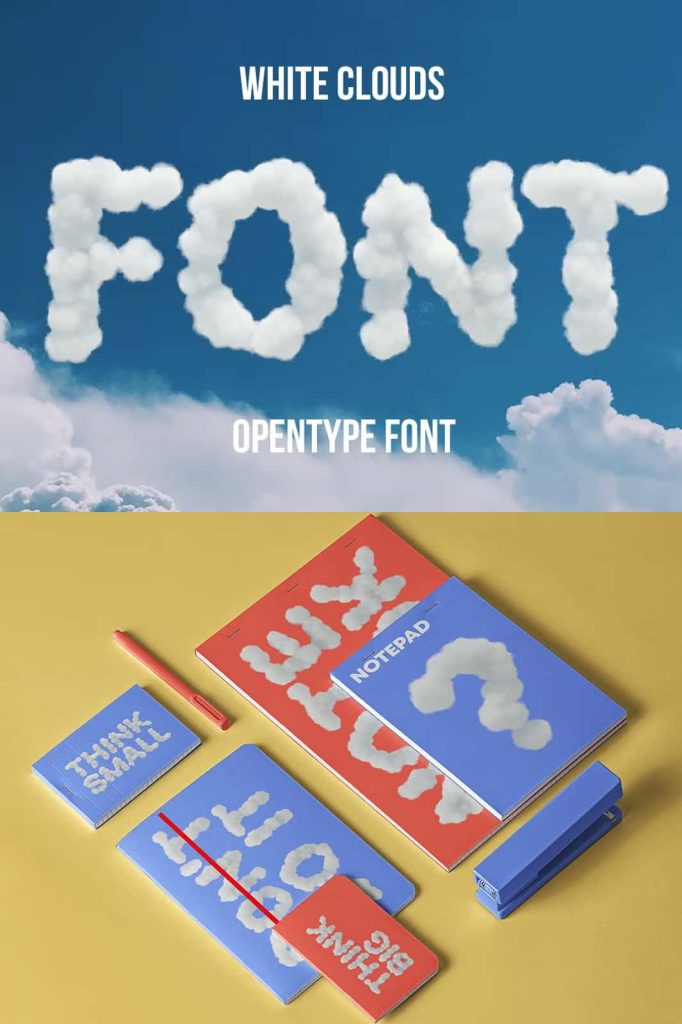
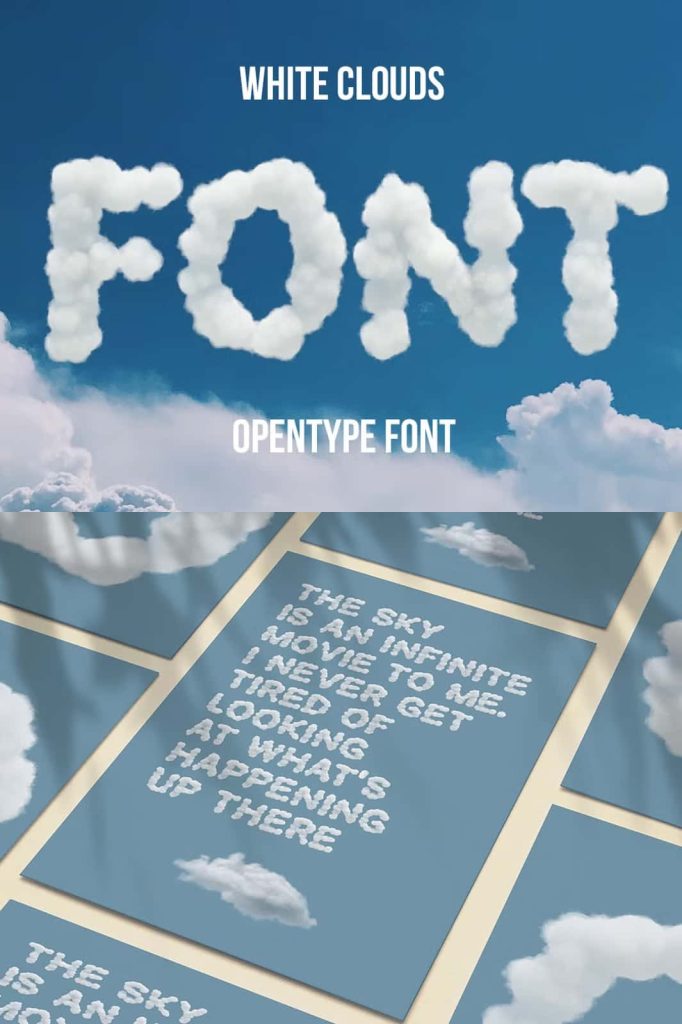
Use it for large headlines, short phrases, titles, decorative lettering, and graphic compositions. Larger display sizes can give the color artwork enough room to remain visible and expressive. Designers can build entire compositions around the font or use it as an accent alongside simpler typefaces.
Because color fonts already contain their own visual treatment, White Clouds can also help reduce the need for additional decorative effects. Instead of manually adding textures, colors, or visual details to ordinary letterforms, designers can use the color font as a ready-made typographic graphic.
Ideal for Digital Marketing
White Clouds can bring a distinctive personality to digital marketing materials. Social media posts, advertisements, website graphics, promotional banners, and campaign visuals often depend on typography that catches attention quickly. A color font can help create that impact by turning words into prominent visual elements.
Designers can use White Clouds for short campaign messages, seasonal graphics, announcements, product promotions, and creative social media content. Its visual character works especially well when the typography needs to communicate an imaginative, decorative, or playful atmosphere.
Creative Uses for White Clouds
The font offers many possibilities for designers who want to experiment with color typography. Because it combines text and visual artwork, it can support a variety of display-focused projects.
Recommended Applications
- Digital illustrations
- Social media graphics
- Creative headlines
- Posters and promotional artwork
- Website hero graphics
- Digital marketing campaigns
- Greeting cards and invitations
- Children’s creative projects
- Decorative typography
- Digital lettering compositions
- Editorial display graphics
- Packaging concepts
- Event announcements
- Creative presentations
- Illustrated quotes and artwork
How to Use White Clouds Effectively
To get the best results from White Clouds, treat it primarily as a display font. Its color artwork can become difficult to appreciate when used at very small sizes, so larger text generally provides a stronger visual result.
Keep the surrounding layout relatively clean when you want the font to become the focal point. A simple background can help the colorful characters stand out, while restrained supporting typography can create a useful contrast.
Designers can also combine White Clouds with a neutral serif or sans serif typeface. Use White Clouds for the main decorative headline and a conventional font for supporting information. This approach creates a clear hierarchy while allowing the color font to perform as the main visual attraction.
Understanding Color Font Limitations
Although color OpenType technology provides exciting creative possibilities, it also requires designers to pay attention to software support. White Clouds will not necessarily display correctly in every application that can install a standard font. Programs without OpenType-SVG support may fail to render the color information or may display the font differently from its intended appearance.
For this reason, always test White Clouds in your preferred design software before starting a major project. Keeping compatible software updated can also help ensure that modern color font technology works as expected.
Check Compatibility Before Designing
The recommended compatibility information includes Photoshop CC 2017, Illustrator CC 2018, and Procreate 4.3 or newer. These requirements provide a useful starting point, but software support can vary depending on the operating system and application version. Testing the font directly in your workflow remains the safest approach.
A Modern Approach to Decorative Typography
White Clouds demonstrates how font technology continues to expand beyond traditional black-and-white letterforms. By placing color artwork inside the font itself, it gives designers a different way to approach digital lettering and graphic communication.
The OpenType-SVG format makes this possible by supporting richer typographic content than conventional font formats. As color fonts continue to gain support across creative software and digital platforms, designers have more opportunities to integrate expressive typography into their work.
Why Choose the White Clouds Font?
White Clouds offers a visually engaging alternative to conventional fonts. Its color bitmap construction gives each character a decorative presence, while the OpenType-SVG format provides the technology required to display that artwork in compatible applications.
It works particularly well for designers who want to make typography more illustrative and expressive. Instead of using text as a supporting element, White Clouds allows the lettering itself to become part of the artwork.
Bring Color and Personality to Your Designs
White Clouds brings color font technology into a creative and accessible design workflow. Its OpenType-SVG construction allows compatible applications to display colorful bitmap artwork directly through the typeface, creating an expressive alternative to traditional monochrome fonts.
From digital marketing and social media graphics to posters, illustrations, invitations, and decorative headlines, White Clouds can help designers create typography that immediately attracts attention. Its strongest results appear in larger display applications where the visual details can remain clear and prominent.
For designers looking to explore modern color typography, White Clouds provides an engaging way to combine lettering and visual artwork. With compatible software such as supported versions of Photoshop, Illustrator, and Procreate, this color OpenType font can become a distinctive tool for creating memorable digital designs.