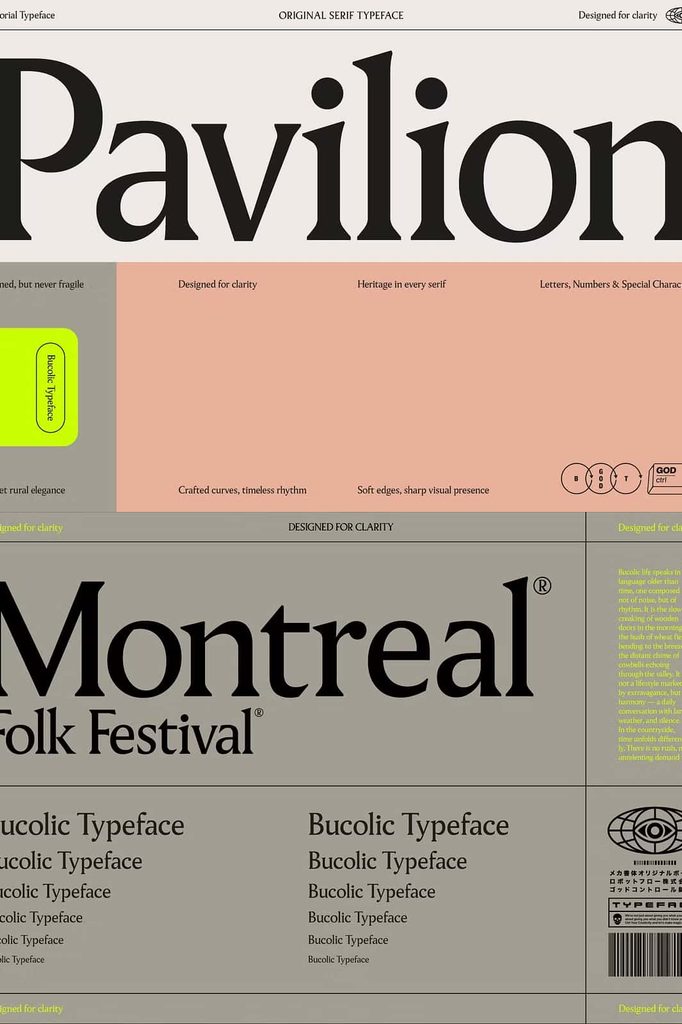
Pavilion Modern Serif Typeface
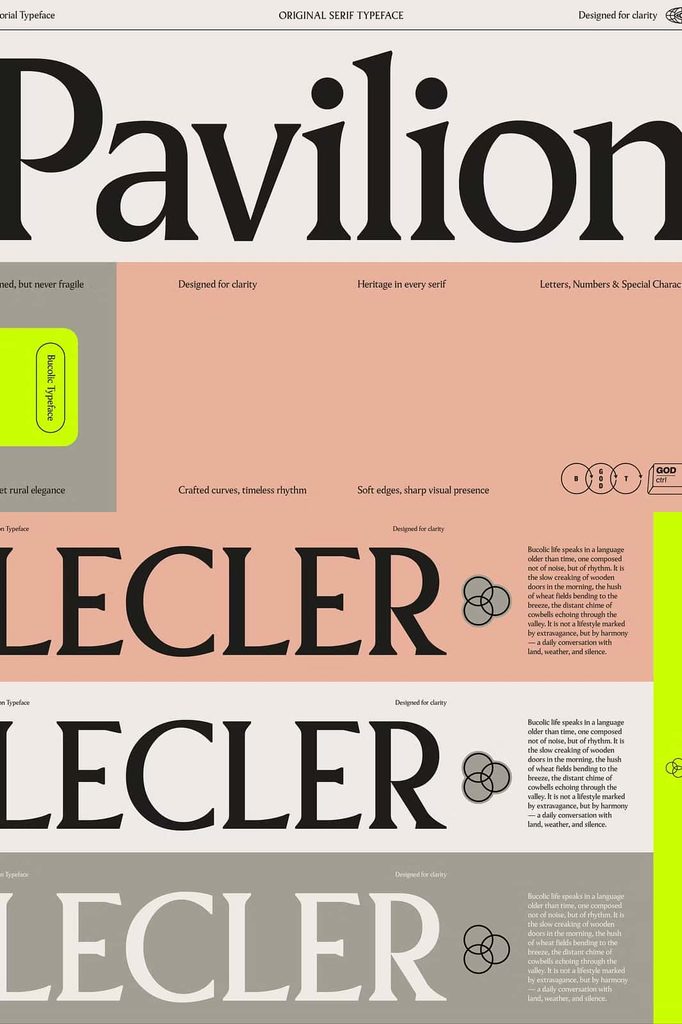
Pavilion is a refined serif typeface that brings together traditional elegance and contemporary energy. Designed around balance, Pavilion combines familiar serif principles with modern edges, smooth curves, and carefully controlled details. The result feels sophisticated without becoming overly formal, making it a versatile choice for both long-form typography and expressive display work.
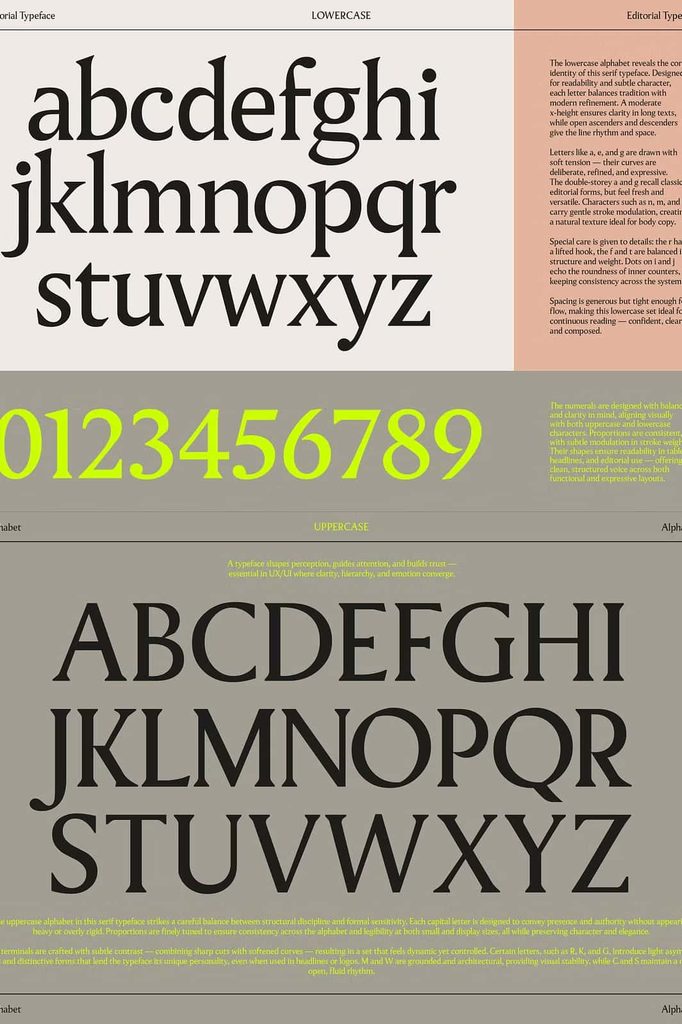
Every letter in Pavilion serves a clear purpose. Its curves create smooth visual rhythms, while its cuts and serif details add personality and structure. This careful construction allows the typeface to maintain comfortable readability across longer passages while also giving titles, headlines, and prominent words a distinctive presence.
A Serif Typeface Built Around Balance
Pavilion focuses on the relationship between classic typography and modern design. Traditional serif characteristics give the typeface a familiar foundation, while contemporary proportions and refined details create a fresh appearance.
This balance makes Pavilion adaptable to different design environments. Use it for editorial layouts when you need comfortable reading, or enlarge it for headlines when you want stronger visual impact. The same typeface can support both functions while maintaining a consistent design language.
Tradition Meets Modern Detail
Pavilion takes inspiration from established serif typography without simply reproducing a traditional style. Its modern edges and carefully shaped curves introduce a contemporary character that works well in current branding and editorial design.
The result gives your layouts a timeless foundation with enough energy to feel relevant and expressive. Pavilion can support minimalist compositions, sophisticated branding systems, and more artistic typographic treatments.
Designed for Readability
Long-form text demands more than attractive letterforms. A typeface must create a steady rhythm that helps readers move comfortably from one word to the next. Pavilion addresses this need through balanced shapes, controlled spacing, and smooth transitions between characters.
Use Pavilion for articles, books, magazines, brochures, catalogs, websites, and other projects that contain substantial amounts of written content. Its human quality helps prevent long passages from feeling overly mechanical, while its serif structure gives the page a polished editorial appearance.
Comfortable Long-Form Typography
Pavilion can maintain a consistent texture across paragraphs. The carefully designed curves and serif details help create an even typographic color, allowing the reader to focus on the content instead of fighting against distracting letterforms.
For digital projects, adjust the font size, line height, and spacing according to the screen and content length. For print projects, combine Pavilion with generous margins and a structured grid to create an elegant reading experience.
Strong Headlines with Personality
Although Pavilion performs well in body text, its character becomes especially noticeable when you use it for titles and headlines. Larger sizes reveal the subtle curves, cuts, and refined details that give the typeface its personality.
Use Pavilion for magazine covers, campaign headlines, website hero sections, book titles, posters, advertisements, and promotional graphics. Its balanced structure lets you create impact without relying on excessive decoration.
Create Energy Through Scale
Typography can become more expressive when you introduce contrast through size. Set a large Pavilion headline above smaller supporting text to establish a clear visual hierarchy. Use generous spacing around the title to highlight the letterforms and give the composition room to breathe.
Pavilion for Branding and Identity Design
Pavilion provides a sophisticated foundation for brand identities that need both credibility and personality. Its refined serif structure can communicate quality, while its modern details keep the identity from feeling dated.
Use Pavilion for logos, wordmarks, brand names, taglines, packaging titles, business cards, stationery, and brand guidelines. Its versatility allows you to build a complete typographic system around one recognizable visual style.
Fashion, Beauty, and Lifestyle Branding
The refined appearance of Pavilion works particularly well for fashion labels, beauty brands, creative studios, lifestyle companies, boutique businesses, and premium products. Its elegant forms can complement clean photography, restrained layouts, and sophisticated visual systems.
Pair the typeface with minimal graphics and thoughtful spacing to create a polished identity. Alternatively, combine it with a contrasting sans serif when you need a more contemporary branding system.
Editorial Design and Publishing
Pavilion naturally fits editorial environments because it can transition smoothly between body copy and display typography. Use it throughout magazines, books, journals, catalogs, newspapers, brochures, and digital publications.
Build a clear hierarchy by assigning Pavilion to headlines, subheadings, introductions, pull quotes, and body text. Adjust its scale and spacing to distinguish each content level while preserving a unified visual style.
Magazine Covers and Feature Titles
Large Pavilion titles can create an elegant focal point on magazine covers and feature pages. Use short headlines to expose the typeface’s distinctive details, then support them with smaller text and carefully positioned imagery.
The combination of classic serif structure and modern refinement makes Pavilion especially useful for editorial projects that want to feel sophisticated without becoming overly traditional.
Website and Digital Design
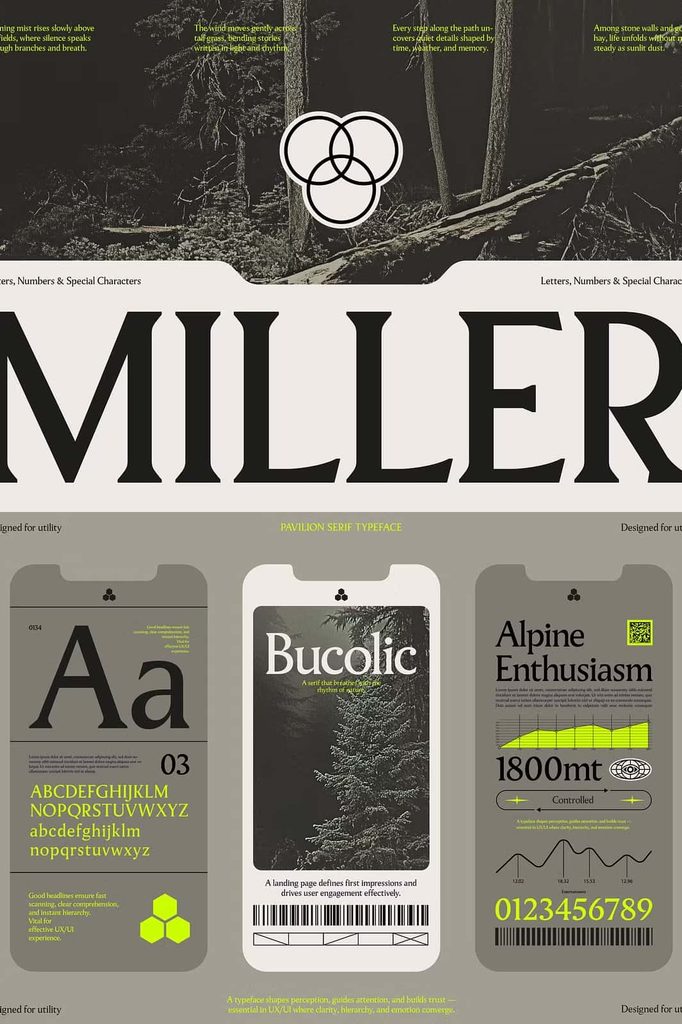
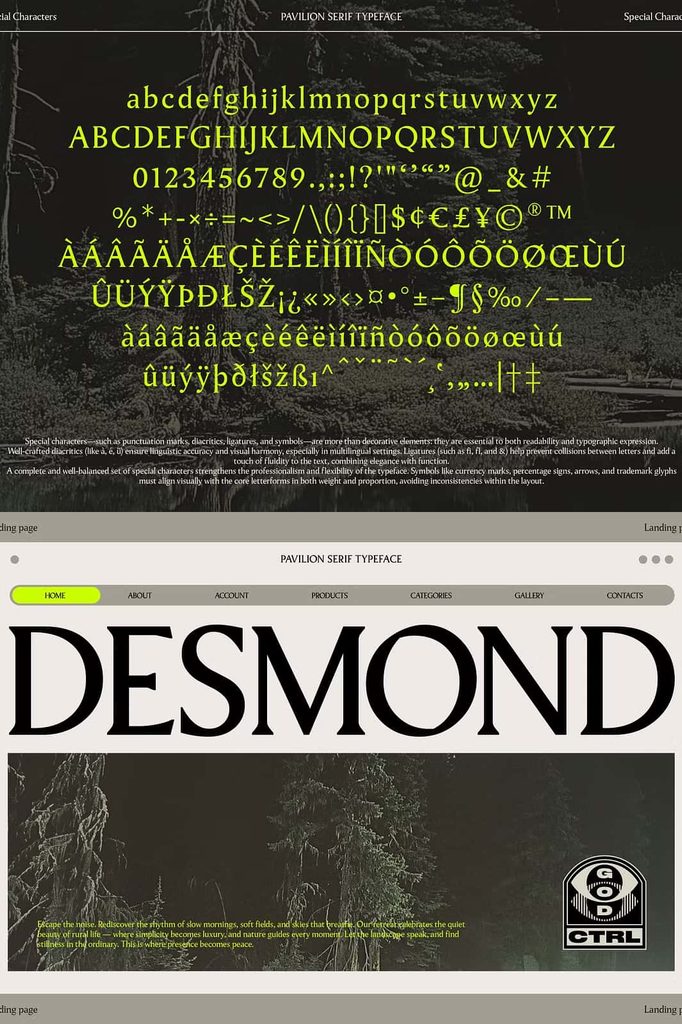
Pavilion can add an editorial character to modern websites. Use it for hero headlines, landing-page titles, blog headings, product names, campaign messages, and other prominent text.
Its human quality can help digital interfaces feel warmer and more considered. Combine Pavilion with a clean sans serif for navigation, buttons, metadata, and interface elements when you need additional contrast and clarity.
Packaging and Product Design
Packaging typography must attract attention while communicating product information clearly. Pavilion can help products achieve this balance through refined headlines and readable supporting text.
Use it for product names, collection titles, labels, ingredient sections, promotional statements, and packaging headlines. Its sophisticated appearance works particularly well for skincare, cosmetics, fashion products, stationery, specialty foods, lifestyle goods, and boutique products.
Create a Consistent Product System
Apply Pavilion consistently across a product range to create visual continuity. Use different sizes or typographic arrangements to distinguish product categories while keeping the same core letterforms throughout the collection.
Creative Applications for Pavilion
Pavilion can support a broad range of professional and creative projects. Its combination of readability, elegance, and modern character gives designers plenty of opportunities to experiment.
- Logo and brand identity design
- Fashion and beauty branding
- Editorial layouts and magazines
- Books and publishing projects
- Website headlines and landing pages
- Packaging and product labels
- Business cards and stationery
- Posters and advertising campaigns
- Social media graphics
- Presentation covers and title slides
- Brochures and catalogs
- Wedding stationery and invitations
- Creative studio branding
- Product launch graphics
- Quotes and typographic artwork
How to Use Pavilion Effectively
Take advantage of Pavilion’s versatility by changing its role according to the needs of your project. For long-form content, prioritize comfortable sizing, line height, and paragraph spacing. For headlines, increase the scale and give the letterforms enough space to display their details.
Use Pavilion as the main typeface when you want a unified serif-driven identity. Alternatively, pair it with a neutral sans serif to create stronger hierarchy and contemporary contrast.
Build Clear Typographic Hierarchy
Start with the largest text, such as a title or headline, and gradually reduce the size for subheadings and supporting content. Maintain consistent spacing between levels so readers can quickly understand the structure of your design.
For minimalist layouts, let Pavilion do more of the visual work. Avoid unnecessary decoration and allow the curves, serifs, and proportions to create the personality of the composition.
Why Choose Pavilion?
Pavilion offers a practical combination of elegance, readability, and contemporary character. It handles long-form text with a smooth rhythm while bringing additional energy to titles and headlines. This flexibility allows designers to use one sophisticated serif style across many different applications.
Its balanced construction also makes it easy to adapt. You can create a traditional editorial atmosphere, a modern brand identity, a refined packaging system, or a stylish digital experience without losing the typeface’s core personality.
Bring Balance and Refinement to Your Designs
Pavilion gives modern designers a serif typeface that respects traditional typography while embracing contemporary details. Its smooth curves, refined cuts, and balanced proportions create readable text and expressive headlines in equal measure.
From branding and editorial design to websites, packaging, stationery, and advertising, Pavilion adapts to the project instead of restricting your creative direction. Choose it when you need typography that feels polished, human, readable, and full of subtle visual energy.
“`